
New for 2021
Lorem ipsum dolor sit amet, consectetur adipiscing elit, sed do eiusmod tempor incididunt ut labore et dolore magna aliqua. Ut enim ad minim veniam, quis nostrud exercitation ullamco laboris nisi ut aliquip ex ea commodo consequat. Duis aute irure dolor in reprehenderit in voluptate velit esse cillum dolore eu fugiat nulla pariatur.
Lorem ipsum dolor sit amet, consectetur adipiscing elit, sed do eiusmod tempor incididunt ut labore et dolore magna aliqua. Ut enim ad minim veniam, quis nostrud exercitation ullamco laboris nisi ut aliquip ex ea commodo consequat. Duis aute irure dolor in reprehenderit in voluptate velit esse cillum dolore eu fugiat nulla pariatur.

Lorem Ipsum is simply dummy text of the printing and media. Lorem Ipsum has been the industry’s standard dummy text ever since the 1500s, when an unknown printer took a galley of type and scrambled it to make a type specimen book. It has survived not only five centuries, but also the leap into electronic typesetting careers unchanged. It was popularised in the 1960s with the release of Letraset sheets containing Lorem Ipsum passages, and more recently with desktop publishing software like Aldus PageMaker including versions of Lorem Ipsum.
Helpful Articles & Videos
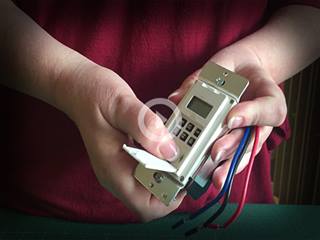


Surface Switch
How long should I expect the battery to last in my ABRA Surface Switch?
Approximately 6 months to a year, depending on how often it is used.
Can I trigger multiple lighting scenes in different rooms with a single tap of the ABRA Surface Switch?
Yes. You can "stack" two or more lighting scenes in different rooms to a single click, double click, or long tap when programming the switch. However, when you're "Adding Intelligence" to a button press, you add each lighting scene one at a time.
I've programmed two lighting scenes to a single button click and want to delete one of them. How do I remove one without deleting both?
In the ABRA Surface Switch control panel, find the lighting scene that you'd like to remove from the button press. Slide it to the left to reveal a trashcan icon. Tap the icon and the single lighting scene will be removed.
Join our newsletter
Stay in the know on new product introduction, promotional offers and more!